 Singtuna
Your TV is the karaoke machine.
Open Singtuna in the TV's browser. Everyone in the room joins from their phone and reserves songs by number, straight from the songbook.
Free, runs in the browser. You bring the songs (here's how).
Modern: clean, sharp lyrics over the scenery.


How it works
Nothing to install on the TV or on anyone's phone.
-
Open the Big Screen on the TV
Go to
play.singtuna.appin the TV's browser. It shows a QR code and a room code, and waits for singers. -
Join from your phone
Scan the QR code. Your phone becomes a Song Remote, and any number of phones can join the same room.
-
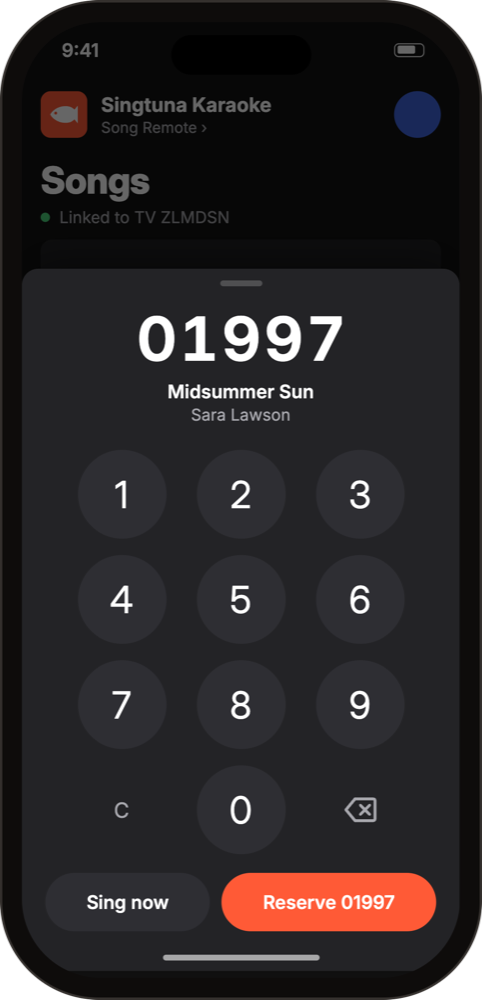
Punch in a song number
Type it on the keypad and press Reserve, or search by title or artist. The TV works through the queue, and the lyrics fill in word by word.
Bring your own songs
Singtuna doesn't come with songs. You add libraries of MIDI karaoke files, and they stay yours. Each library gets its own range of song numbers, so they never clash.
- A library link
- Paste a link someone shared with you. Libraries use TunaPack, an open format anyone can host.
- Your own files
- Import .mid, .kar or .zip files from your device.
- A folder on the web
- Point Singtuna at any plain folder of .mid or .kar files.
- Community songs
- An optional library of songs shared by other Singtunados, checked before they appear.
On the night
The parts that make it feel like a real karaoke machine.
-
Your key, your tempo
Change the key and tempo for each song, and turn the guide vocal up, down or off.
-
A score at the end
Every song finishes with a score, and a better score gets a bigger fanfare.
-
Scenery or music videos
Beaches, open sea and underwater scenes drawn live, or the song's own music video.
-
Sing offline
Download a library to the device and its songs play without a connection.
No TV nearby?
Pocket Karaoke runs everything on one device. Find a song, reserve it, and sing with the lyrics right in your hand. It works on a phone, tablet or laptop, and you can switch to Big Screen any time.
Sing from your phone